
Two Months of Claude Code: an Honest Evaluation
A non-psychotic take on the agentic era using Claude Code


Two months ago I joined a trial team of engineers, assorted misfits and a product manager to find out whether incorporating Claude Code (CC) into every facet of our work could meaningfully change what we delivered.
Five of those weeks were using CC in a new proof of concept team (PoC) spun up to crunch out a new feature which had been sitting on the backlog for a while but had been beaten by other priorities. After that stint the rest of my time using CC has been with my main team, bring back the knowledge I gained but also still tinkering and experimenting with CC.
As a software engineer who has spent most of my career in Java, with the occasional painful detour into C++ and PHP (shudder), the arrival of LLM tools (whether agentic assistants or autocomplete) feels like another step on a staircase engineers have been climbing for decades.
Previous steps have included library standardisation, the shift to cloud infrastructure, agile ways of working and the long-running argument about whether TDD was worth the discipline it demands. Each step caused hype, resistance and a great deal of hand-waving before it settled into the background as simply how things are done now.
Currently we are in the the hand-waving, fear and hype era for AI which Mitchell Hashimoto and a few others have been calling "AI Psychosis":
I strongly believe there are entire companies right now under heavy AI psychosis and its impossible to have rational conversations about it with them. I can't name any specific people because they include personal friends I deeply respect, but I worry about how this plays out.
— Mitchell Hashimoto (@mitchellh) May 15, 2026
On reflection of the PoC I don't believe I had AI psychosis or any of my team members did either, but we did persist our quiet optimism of this technology. Below I have documented the many bumps, pitfalls I had using Claude Code which I hope will give people some insight into this technology.
Before we continue
You will see me using Claude or Claude Code interchangeably in this blog post, in part this is because we had different people using either tool at my work, but also I think there is no clear pathway or product vision from Anthropic on these two distinct apps and how you can interoperate with them, or not. Which causes no shortage of confusion or frustration for me.
Orientation
A team was assembled from people across several product team who wanted to try this properly; backend engineers, frontend engineers, a platform engineer, a product manager. We had a product requirements document (PRD) and a brief to build a new internal feature, which went a little something like this:
As the CPO I want to extend the Foo app with a feature to do Fubar so that we can encourage customer stickiness and share some delight with our customers.
Fair enough, let's paste the PRD into Claude Code and let it start generating tickets and documentation. Wrong!
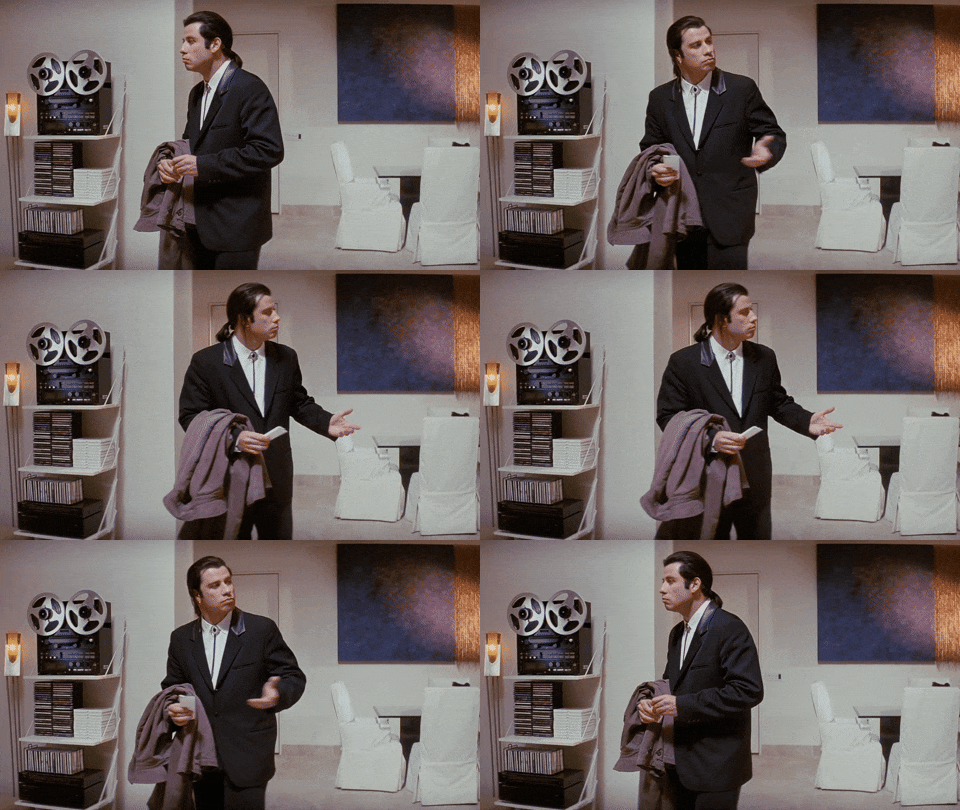
We all had questions to ask or setups that needed tinkering. This manifested in a variety of questions:
- "Whats the best way to setup Claude if I am a dev/designer/product manager?"
- "Are we using the Claude app or the Claude Code terminal app?"
- "Why is the MCP tool not visible to Claude but visible on Claude Code?"
- "Should I run Claude Code from the terminal, IntelliJ or VSCode plugin?"
- "It keeps switching to Opus 4.7 and consuming lots of my tokens"
- "I just made this cool TDD skill on Claude Code, why can't I easily share it with someone using the Claude desktop app?"
- "Can I use this alongside GitHub Copilot in my IDE?"
This was just a small list of those questions, but we only had a short period of time allowed to get up to speed. So we had to do some serious mobbing sessions along with more niche pairing to get everyone to a baseline of setup.
On the subject of pairing/mobbing, I think it is essential to pair on Claude setup, just the same as when you pair on coding. You want someone there to check what you added to your Claude config or Claude.md etc.
After everyone had done a minimum amount of setup and configuration of Claude we decided a good way to now test our setups was to get Claude to generate plans and a simple mockup from the PRD. Then we could compare each others output.
If the outputs were fairly aligned then great, if they were all over the place then we would need to see why. Thankfully there was a nice range of outputs within a tolerable deviation and we were now ready to kick off the next week running.
Architecting
After the weekend passed it was now time to start thinking how we could turn this product requirement into a more concrete idea with a wireframe and architecture diagram. Like any team that is using AI or not; we all had our own ideas on how to implement this requirement from a backend, frontend or UX bias.
This is where our next clash came when using Claude and it was a big one.
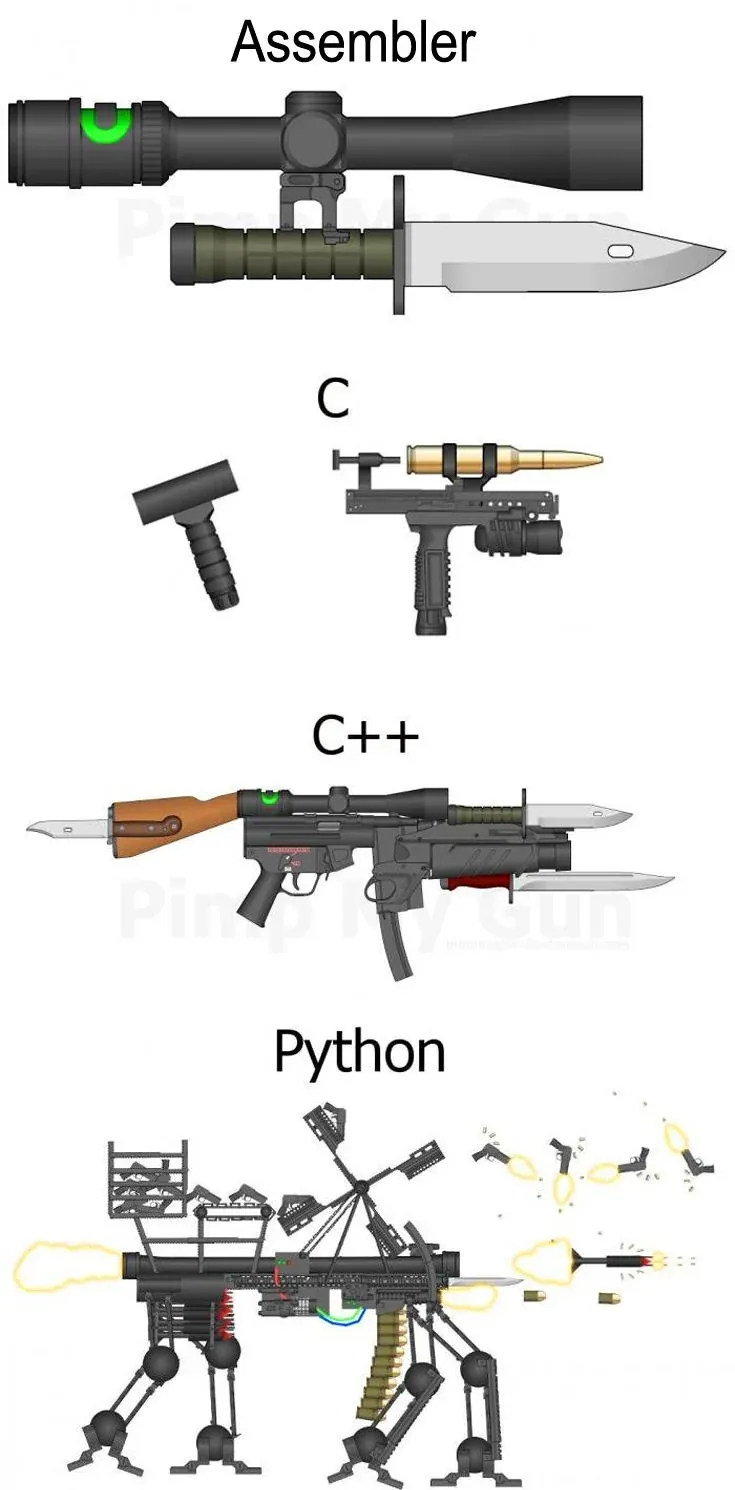
It made me think of the various programmer memes on, "If language X was a weapon, it would be Y". We had all designed a weapon but our weapons were all quite different.
After a design session we were able to pick out a sensible solution which was subtly present in everyone's individual designs but hidden with a lot of other architectural noise.
This noise wasn't wholly the fault of Claude but a result of various things:
- Lack of documentation on various systems which caused Claude to output inconsistently or hallucinate.
- Inaccurate or outdated documentation (worse)
- Developer language, terminology and being specific e.g. async (vague) -> queue (less vague) -> Kafka (specific implementation of async interaction)
- Human behaviour and ways of thinking on problems whilst interacting with an LLM. Becoming enthusiastic or hyped by and idea inadvertently resulting in design creep.
Going forward I would recommend keeping the conceptualisation (architectural, basic wireframing) human led from a whiteboard. This doesn't need to be hours and hours; just get some boxes and lines drawn on a whiteboard.
LLMs see tokens and text matches, but they are not as good at seeing the abstractions, obscure relationships and rules which are documented or (often) not documented in an organisation.
Once you have agreed as a team on an architectural approach, by all means let Claude codify it for you and put it on a wiki page somewhere. Claude is good at diagramming when using C4 or Mermaid diagrams. So let it take up the burden of generating and keeping your documentation up to date.
Housekeeping
One more final thought on this for new teams or teams that have their usual ways of working at their company. Make sure you get your housekeeping in order.
That means tidy your JIRA board, have a wiki space or a repo that can be easily accessed to share knowledge and context. Trying to start a project without these things let alone using Claude is going to be a rough ride.
Smash the "Y" key
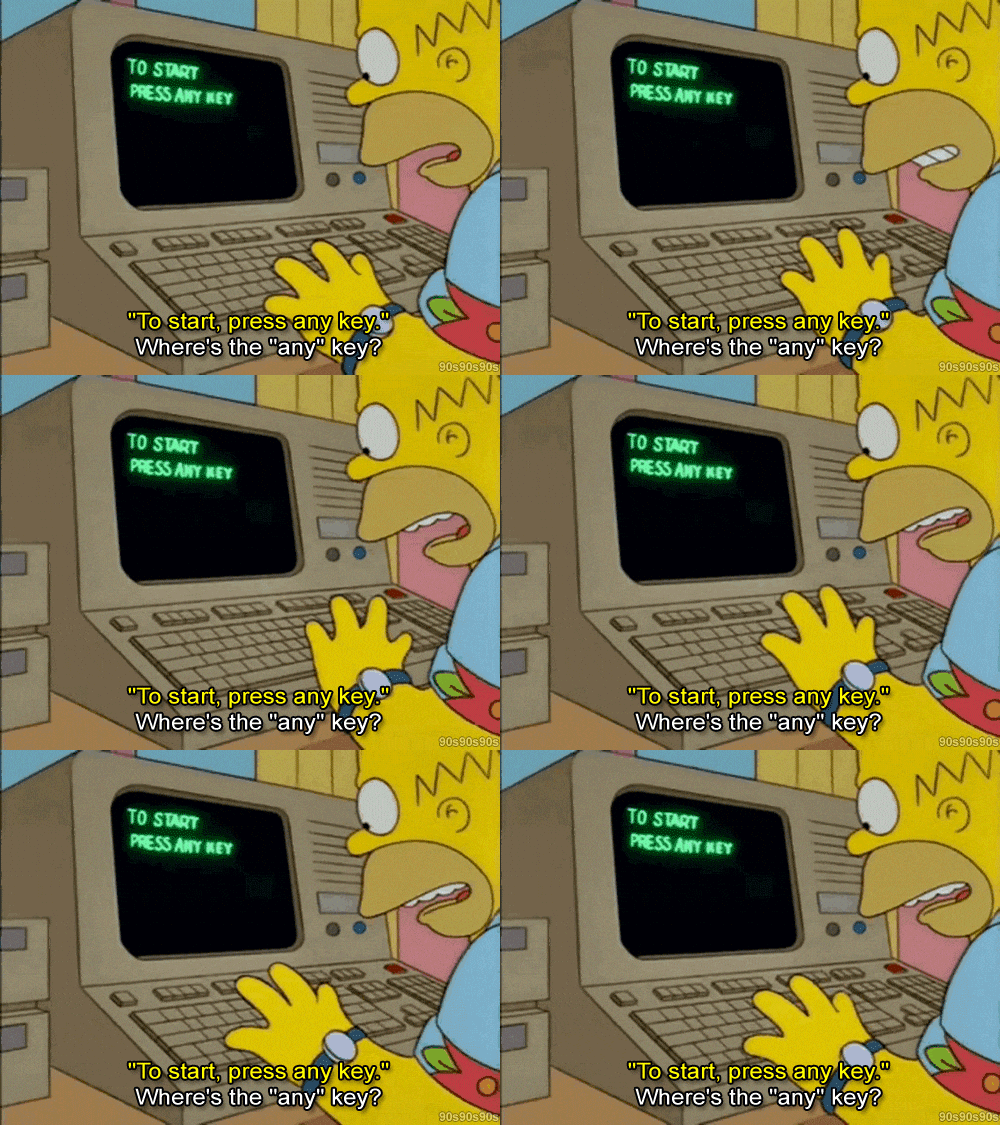

It's important to state here that I was the odd one out in my approach to drive CC from my terminal (iTerm2). Others used plugins for their IDEs or used the Claude app. This diversity in approach was good because it identified lots of friction points, so don't enforce one approach!
You then enter your first prompt and Claude starts to work, shortly after you are presented with a dialog in the terminal to approve Claude to run a command.
That command might be fairly benign like (ls, grep, git status), so you approve it. However it didn't get the result it expected and comes back with a slight permutation. You then are prompted to approve it again.
A pattern then starts to emerge with the human in the loop, hitting approve on a command Claude wants to execute. You try to give your fullest attention to each approval request but inevitably you find yourself hitting the Enter key repetitively.

The obvious answer was to enable full auto mode; it was also clearly the wrong one. Giving Claude a blanket approval for commands to run on your host machine is not the way forward.
Note: Claude Code's auto mode does have some in-built guard rails to prevent it from bricking your machine with a rm -rf /

Another alternative is to run Claude Code like so (please don't do this unless you have a sandboxed environment)
claude --dangerously-skip-permissionsAfter bouncing around the extremes in permissions you discover the actual answer was a happy medium of; permissive for read-only operations, explicitly restrictive for anything destructive.
Then at specific projects you can deny or approve other operations to fine tweak those scenarios where it might be useful to delete the node_modules folder after having some issues with builds.
Here is a rough example of what I currently have for managing operations performed by CC which works quite well for me.
User Config (~/.claude)
  - Claude.md ("Do not run destructive commands" etc.)
  - settings.json
      - deny command hooks (rm rf, dd, git push --force, wget)
      - approve command hooks (grep, ls, cat, curl)
  - remote.settings.json (managed by our IT team)

Repository Config (~/work/foobar-frontend)
  - Claude.md
  - settings.local.json
      - more granular deny command hooks (npm, yarn)
      - more granular approve hooks (pnpm, vite)
A rough example of how my current
This level of detail and configuration isn't made clear to you in the Claude documentation when I first played around with it. However it has greatly improved since then.
My frustration from this would be that there are several opinions on how to configure permissions for CC but it appears Anthropic doesn't want to put a recommendation for one or another. Which might be understandable given that this is early days and is a fast moving technology.
So you will have to be fine with poking around docs, configs and browsing places like Reddit (I would recommend /r/ClaudeCode if you don't mind the memes).
Happy configing!
Make No Mistakes
The CLAUDE.md file followed a similar path. The project-level file (committed to the repository and visible to everyone) was obvious enough. The global user-level config (~/.claude/CLAUDE.md), which follows you across every project, was not. One person built theirs first and shared it. Others took pieces, adapted them, added their own conventions. Nobody ended up with identical configs, but everyone ended up with a working baseline faster than they would have starting from scratch. That process of collective discovery (what to allow, what to block, what to write down so Claude carries it into every session) is the part of using Claude Code that the installation guide skips entirely.
The Figma Flip Flop
The intention was to use Figma as a live design surface that Claude could read from and reason about. The MCP integration between Figma and the Claude UI app was, to put it generously, inconsistent. Connecting was unreliable. Pulling information from a wireframe worked until it did not. Making changes was worse. Our design system added a further complication: the component library did not map cleanly onto the React codebase, so even when Figma data came through accurately, Claude was working with a translation problem on top of a connectivity problem.
It improved after the PoC ended: several integrations we relied on were moving targets during the trial, and what was flaky in March was functional by May. The Slack MCP had its own variant of the same problem (it could not reliably surface attachment content from channel posts, which made any workflow depending on rich Slack context unreliable).
The takeaway is not that integrations are bad. It is that they are immature and should be treated accordingly. Do not build a critical workflow dependency on an MCP that has not stabilised. Use it experimentally, note where it fails, and either route around the failure or wait for the fix.
Who Is Architecting This Thing?
The team was flat: backend engineers, frontend engineers, a platform engineer. Decisions were collaborative in principle, though backend engineers have a natural tendency to assert authority on system design (we build the infrastructure; we feel the weight of what we add to it). That dynamic was manageable. The more interesting problem was what to tell Claude.
We were building a new feature into an existing system with specific infrastructure choices already established: Kafka, Redis, a set of AWS services with patterns already in place. We did not want Claude proposing RabbitMQ as an alternative, or suggesting a caching strategy that duplicated what Redis already handled. Before we could hand architecture work to Claude, it needed to know what it was allowed to use and what already existed.
We could not establish that context quickly. So we fell back to the human approach: whiteboard session, boxes and arrows, translated into a Mermaid diagram and handed to Claude as a starting point. But Claude still struggled, because the diagram described the new feature without giving it any view of the surrounding systems it was plugging into. The architecture problem and the world model problem turned out to be the same problem.
What Does the World Look Like?
We had documentation. We had Backstage. We had service repositories with READMEs and architecture notes. The problem was that most of it was wrong.
Backstage was in poor shape. Service documentation had not been updated to reflect recent changes. Kafka topics that should have been decommissioned were still listed as active. Infrastructure built in the last year had no documentation at all. Feed this to Claude and it produces confident, well-structured suggestions based on a world that no longer exists. It recommended consuming topics that were about to be retired. It missed integration points that had been live for months.
Garbage in, garbage out.
The fix was to use Claude to repair the documentation before asking it to reason about the system. For a backend service with stale docs, the instruction was direct: analyse the code, analyse the API, update the documentation, push it. That surfaced on Backstage. For the Kafka side, Claude worked through the publishing repositories and brought the event catalog up to date. The tool was used to create the conditions in which the tool could work.
Once the documentation was reliable, Claude generated Mermaid diagrams of the system: text format, versionable, readable via a skill. We tried storing them in Lucid (which nominally supports Mermaid) but the diagrams became inaccessible in practice, so they stayed in a documentation repository instead. There were hallucinations in the initial architecture output; reviewing and correcting each iteration was non-negotiable but not onerous. After a few passes, we had something we could actually build against: one service owns these responsibilities, publishes this event, consumes that one, reads from cache here, exposes these endpoints. Concrete and agreed.
The Frontend and Backend Bridge
Two repositories, two disciplines. Frontend in React; backend in Java and Spring Boot. Each team mainly stayed in their own codebase. The question was how to agree on the shape of the API sitting between them.
The answer was OpenAPI, driven from the frontend. Frontend engineers would work with the UX designer on a feature, then come to the backend with a question: what data exists already? If the existing API covered it, done. If not, they drafted the new endpoint on the OpenAPI schema and raised a pull request.
Backend reviewed that PR with Claude in a pairing session, with Claude holding context on the backend repository. This meant Claude could review the proposed contract against the actual data model and catch problems before they became integration failures: a DTO missing a property, a field the backend could not support, a response structure that assumed something about the service layer that was not true. The cross-repo context was what made this useful rather than just a syntax check.
Once a schema PR was approved, backend implemented from the spec directly. Claude read the spec and wrote the controller methods, service wiring and DTO structure. No generator was used (an OpenAPI generator would likely have been more token-efficient; worth considering for a longer-running project). The more useful side effect was on the wrong-path problem described in the previous section. Once Claude had a precise contract to implement from, the tendency to build parallel infrastructure largely disappeared. A defined spec constrains the solution space in exactly the right way.
Pairing or Thrupling
Two developers and Claude in a session is not a pair. One developer drives with Claude; the other watches, asks questions and redirects. Three parties, distinct roles. Thrupling (which sounds a bit sus as a term) was the default working mode.
The approach evolved across the PoC. The first version was straightforward: tell Claude what to do, review the output, raise a PR when it looked right. That worked for contained tasks. When work grew across multiple features, the review cycle before raising a PR became unwieldy. The second version separated the concerns. GitHub Copilot runs as an automated review step on all our PRs by default (a useful safety net regardless of how the code was written). Changes went up, Copilot reviewed, the team added their own comments, and all of that feedback came back to Claude in a single consolidated session. Claude's response to the Copilot comments was not always deferential: sometimes it argued the point; sometimes it simply said "fair point" and made the change. Either way, less back-and-forth and better signal.
The more interesting addition was a scheduled agent. After pushing, the PR skill raised the PR and triggered a sub-agent that polled the PR URL every thirty minutes. The team could add comments throughout the day, take breaks, work on something else and the agent would process feedback in its own time. The session did not have to be live.
The second human's main contribution was not redundancy; it was course correction. The most consistent failure mode in the PoC was vague top-down instructions: ask for a new endpoint without anchoring it in the existing service layer, and Claude builds new infrastructure in parallel with what already exists rather than wiring into it. The second developer could catch this early and reframe the request from the bottom up (start at the repository layer, describe what the data needs to do, then work up to the API surface). The pair was also where CLAUDE.md refinements happened: spotting a pattern, agreeing on the rule, adding it there and then.
I am aware of the obvious caveat: greenfields development is not the most scientifically rigorous test of an AI coding assistant. The real challenge is introducing it into a living codebase with years of decisions baked in, not a fresh project where you get to make all the rules. You could argue that makes the PoC less meaningful. You could also argue that for an MVP, it is exactly the right environment; you learn how the tool works before you commit it to something you cannot easily unwind.
What stayed with us from those five weeks was less about the feature than about how to use Claude effectively. The feature shipped. The tool was the experiment.
After the Experiment
When the PoC ended the team disbanded. Everyone kept their licences and went back to their original teams (I didn't need to hand in my gun)
I was the only person on my regular team with a Claude Code licence, which made me an evangelist by circumstance rather than design. I was deliberate about scope: no large codebases immediately, no open-ended feature work. Instead I paired with colleagues on smaller, contained tasks where a mistake is cheap and the output is easy to verify. That worked well enough to justify scaling up. Bigger features followed and Claude handled them, but the volume of code it generated created a new problem. The PR review queue backed up. As more team members received licences over the following weeks, the bottleneck became real. Claude produces at a pace that a human review process is not built for, and the workflow needs to account for that. Small, focused implementations rather than sweeping changes across a feature.
Where the tool earned its place most immediately was the maintenance backlog. Every team has one: alerts that have been firing for months, small regressions that never quite made the sprint, configuration drift that everyone is aware of and nobody has had time to address. Claude worked through these with no ceremony. The more interesting use was operational: an alert fires in Slack, Claude pulls context from the codebase, the runbook and previous incidents, surfaces the likely cause and a proposed fix, then either raises a bug ticket automatically or addresses it directly with a retrospective notification. That loop compressed what used to take a morning into something closer to twenty minutes.
Colleagues moved from sceptical to cautiously positive. The friction is real and should not be understated. There is a significant amount of unlearning required before Claude Code feels comfortable rather than effortful; unlike learning a framework, where you internalise the patterns and largely stop thinking about them, this is a relationship that keeps requiring attention.
Conclusion
At this point I am in the happy but still not keen to lets the guardrails off phase.
Claude Code as an agentic harness is good and everyone in the team has no intentions of deleting it and going back to writing code sans LLMs.
We still have lots of friciton points to deal with:
Sharing is incomplete. Claude Code skills do not translate automatically to Claude for Work (which operates on a different mechanism). If you build a skill that helps a developer work more effectively, getting that same capability in front of a non-technical colleague is a separate problem.
Memory is not shared. There is no formalised way to share project memory across a team. Each engineer's Claude context is their own. Conventions and context that one person has spent time building need to be rebuilt by the next. The project-level CLAUDE.md does some of this work. It does not do all of it, and the gap is noticeable on a team trying to move consistently.
Security was a participant, not a gatekeeper. Our security team worked alongside the trial team throughout, liaising directly to understand how Claude was being used and where data was flowing. Getting them involved early rather than presenting a completed experiment made the conversations considerably easier.
These are product problems, not configuration problems. No amount of clever markdown files will solve them. They are worth naming because they will affect anyone trying to roll this out beyond a single developer.
The best analogy I have found for what working with Claude Code actually requires: it is like a toddler that is not your child, but that you want to shape into something you can work with, rely on and genuinely enjoy. You give it structure. You push back when it goes wrong. You put in the time. And unlike TDD (which you learn, internalise and largely stop actively thinking about) this is a relationship that keeps evolving. The tool changes, the field changes, and the configuration that works today will need revisiting in three months.
In a year the whole agentic model might look completely different. That is not a reason to dismiss it. It is a reason to hold the enthusiasm at the right temperature: warm enough to keep working at it, cool enough to see it clearly.
I will be posting a follow up to this on my Claude configurations and hacks I have done, which may be of interest. So stay tuned!